
Back from the trip.
Forward the statement by email, and it's waiting in the app.
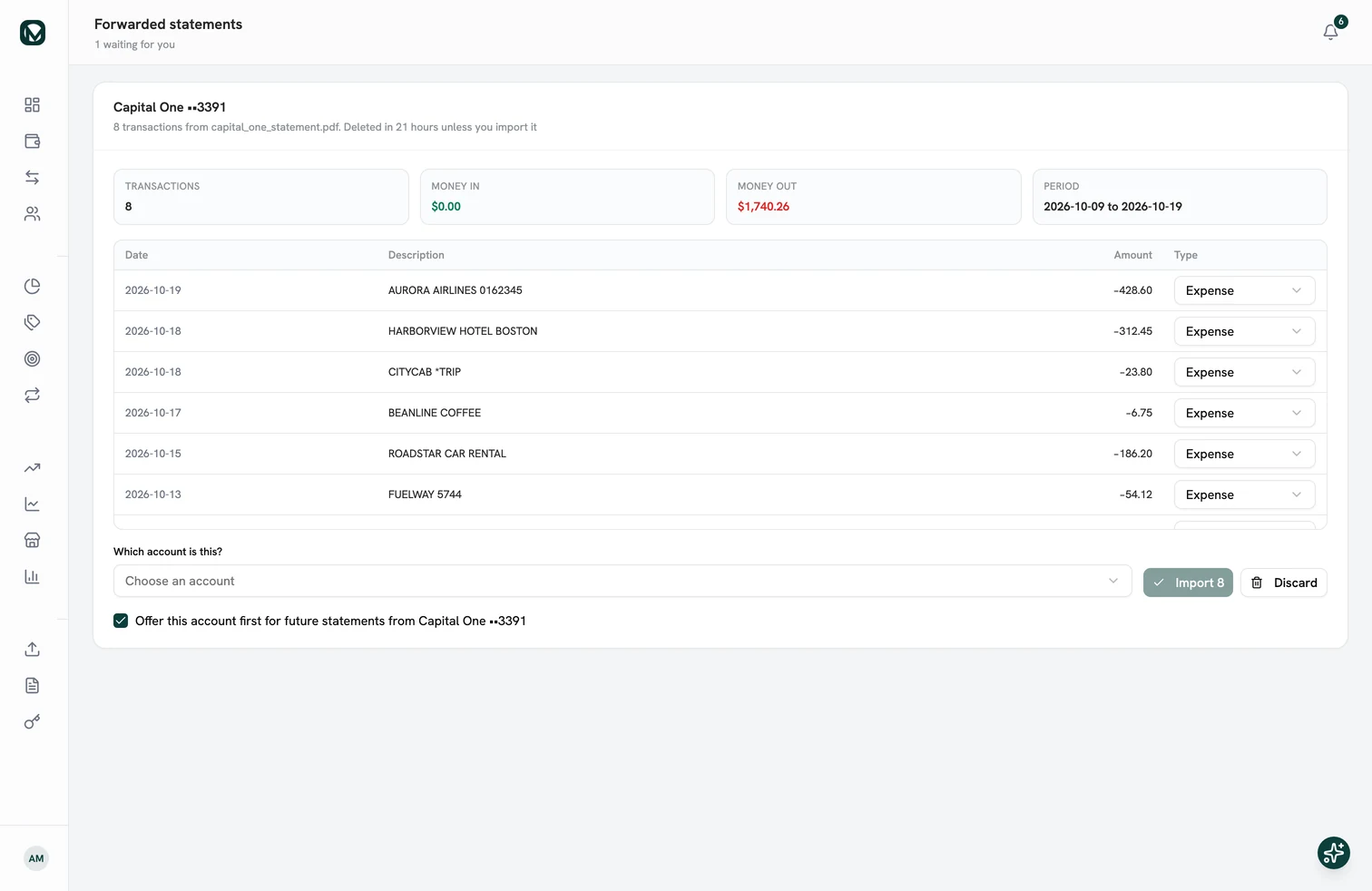
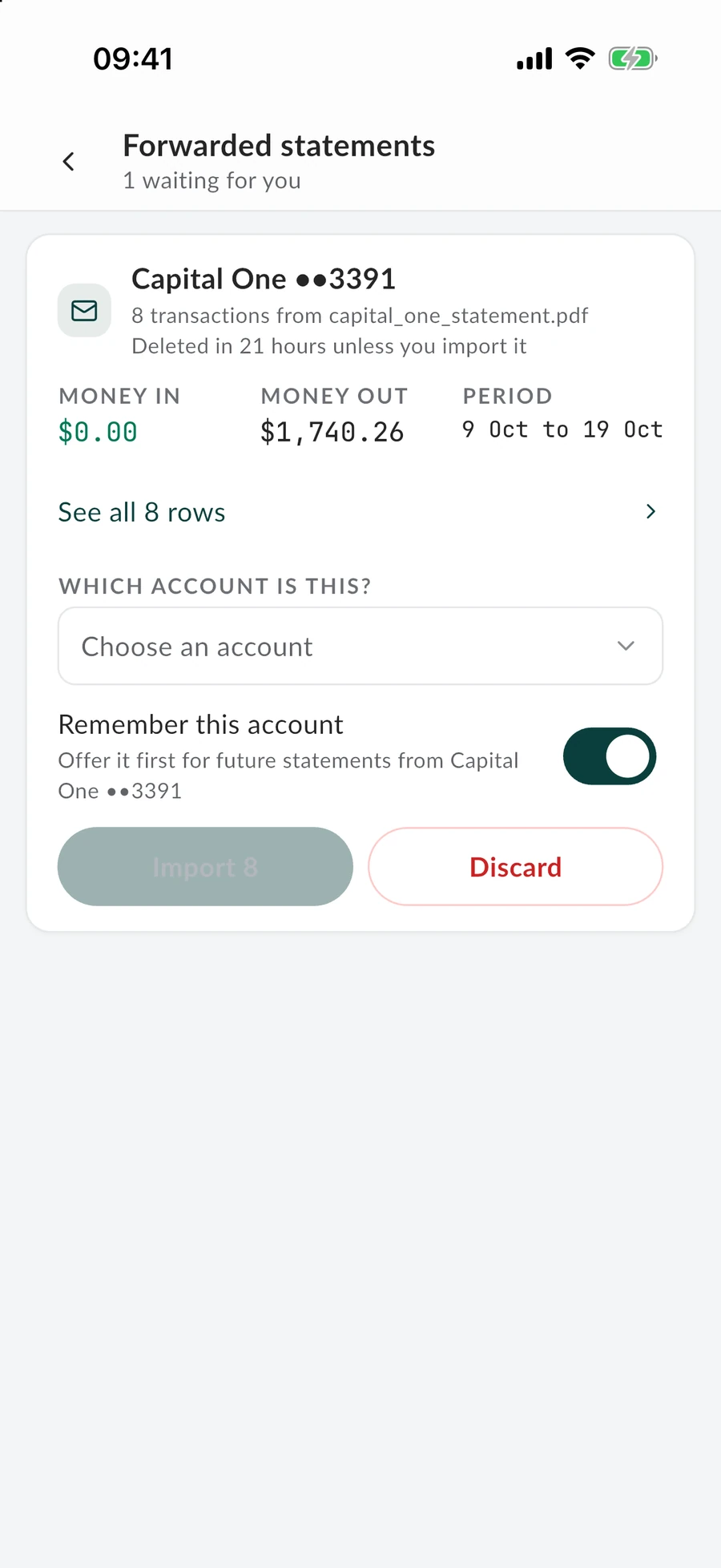
A week of travel in one PDF. You forward it without opening it, and by the time the coffee's made, all 8 rows are waiting for a look.
Nothing goes in until you've checked it. A statement nobody checks is gone in a day.
Join the waitlist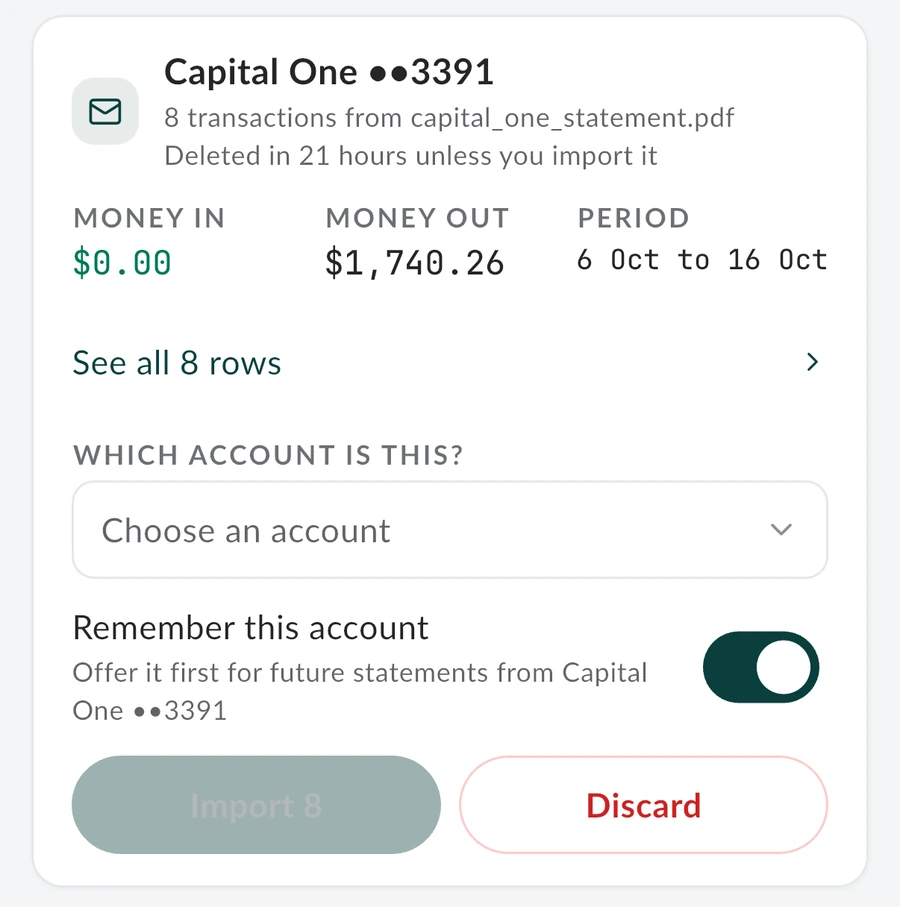
Where does the statement go?
Forward it from whichever inbox it lands in. It stays in the app until you have looked at it, on either screen.

Before you forward one.
What people ask about forwarding statements.
- What is my import address?
- An email address only you have, shown in the app. A statement forwarded to it is read into your account and held for your review.
- What happens if I do not review it?
- An unreviewed statement is deleted after 24 hours, with a reminder 6 hours before. Forwarding it again afterwards works as normal.
- What if my bank locks the statement with a password?
- It is kept in the app, encrypted, for up to 24 hours. Enter the password there and it is read like any other. Tick Remember and the password is saved, encrypted, so the next statement from that bank opens by itself. You can remove a saved password in Settings at any time.
- Is the email kept?
- No. The rows are held for your review, and once you confirm or discard them the copy is deleted. Only the transactions you import are saved.
- Do I still need a bank login?
- No. Nothing connects to your bank. You forward an email you already receive.
Next time a statement lands in your inbox, forward it.
Send it on from whichever inbox it arrives in, and it will be waiting in the app. Get in line now, and start the day your invite arrives.